
Nexos Traffic Intelligence
Proof your boosting works — in one premium dashboard. Track visits, sources (Instagram/TikTok/Google), clicks, outbound links, devices, and geo insights directly inside WordPress. Built for agencies and businesses that want clear traffic proof, not guesses.
- • Instagram / TikTok / Google source tracking
- • UTM campaign intelligence (recommended for boosting)
- • Click tracking + outbound link reporting
- • Live activity feed + session journey viewer
- • Location map + top cities/countries
- • Automated email reports (daily/weekly)
Screenshots
Overview
Nexos Traffic Intelligence – Turn Boosting Into Proof
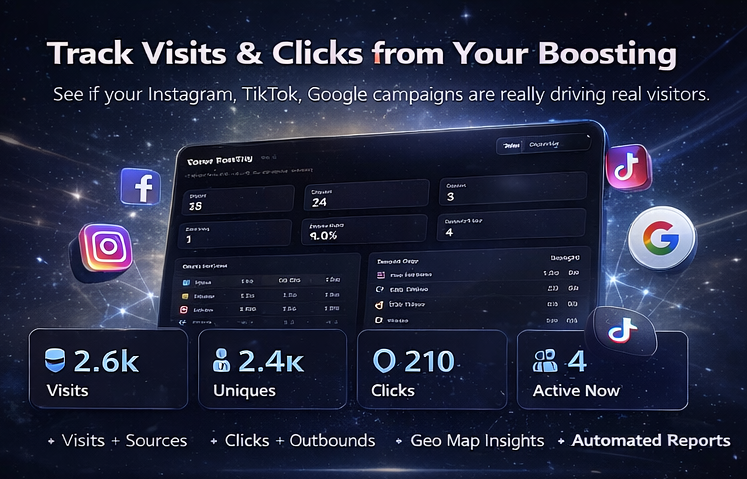
Stop guessing if Instagram boosting, TikTok boosting, or Google ads are working.
Nexos Traffic Intelligence transforms your WordPress admin into a high-end traffic command center,
showing exactly what’s happening on your website—without relying on external dashboards.
- Where visitors came from (Instagram / TikTok / Google / Direct / Referrers)
- What they clicked (buttons, menus, internal links)
- Which pages they viewed (landing pages + top pages)
- Which external links they left to (outbound URLs + domains)
- Device + location insights (mobile/desktop + geo map, best-effort)
- Live activity + session journeys (see a visitor path step-by-step)
What You Track (Instantly)
- Visits & Unique Visitors
- Traffic Sources (Instagram / TikTok / Google / Direct / Referrers / Other)
- UTM Campaign Attribution (recommended for accurate boosting reporting)
- Clicks Tracking (buttons, menus, internal links)
- Outbound Link Tracking (external URLs + domains)
- Top Pages & Landing Pages
- Device Breakdown (mobile/desktop/tablet)
- Geo Insights + Map View (best-effort depending on server setup)
- Logged-in Usernames (shown only for users logged into WordPress)
Built for Boosting Performance
Nexos Traffic Intelligence is designed to answer the real question:
Which channel is bringing real traffic—and what are they doing?
Pro tip: For perfect source tracking, use clean UTM links in your boosting:
utm_source=instagram&utm_medium=paid_social&utm_campaign=ig_boost1utm_source=tiktok&utm_medium=paid_social&utm_campaign=tt_boost1utm_source=google&utm_medium=cpc&utm_campaign=search1
Then your dashboard shows clear results: Instagram vs TikTok vs Google — with clicks and outbound behavior included.
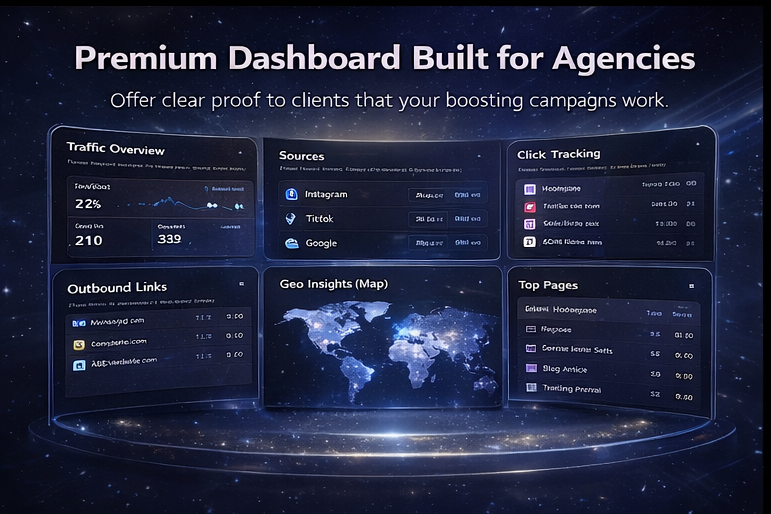
Premium Titanium Dashboard (Client-Friendly)
- KPI cards for quick performance proof
- Sources board + trends
- Clicks intelligence tables
- Outbound link analytics (domains + URLs)
- Locations + map view
- Live feed (recent visitor activity)
- Session journey viewer (visitor path timeline)
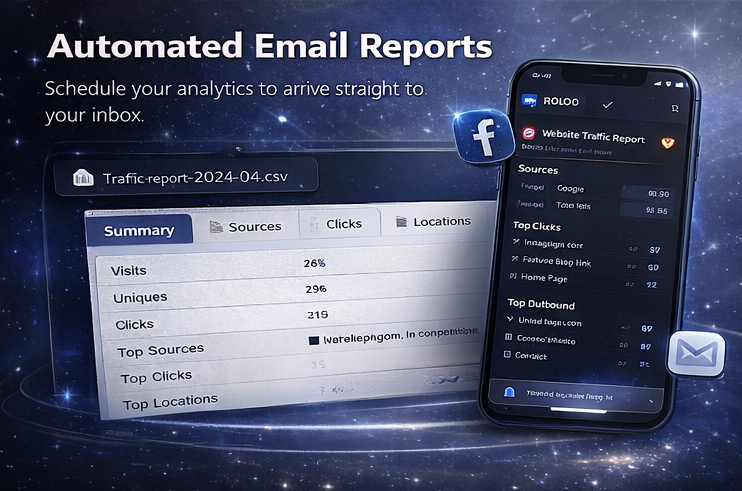
Automated Email Reports (Pro Feature)
Send your analytics straight to your inbox.
- Daily or Weekly scheduling
- Choose send time from the admin panel
- One Excel-ready CSV including selected sections (Summary, Sources, Clicks, Outbound, Locations, Top Pages, Users)
- Optional SMTP support for reliable delivery
Why Nexos Traffic Intelligence
- Self-hosted analytics inside your own WordPress
- No external accounts required
- Fast and clean – built for performance
- Agency-ready – client-friendly reporting
- Quality signals – click activity + outbound behavior (not just “visits”)
Perfect For
- Businesses running social boosting
- Agencies delivering proof to clients
- WooCommerce sites measuring traffic quality
- Landing pages, pricing pages, and service funnels
Important Notes
- For perfect attribution, use UTM links in your boosts.
- Location map depends on hosting and geo availability (can be enabled using a geo provider setting).
- Usernames appear only when a visitor is logged into WordPress.
FAQ
ill it show if visits are from Instagram, TikTok, or Google?
Yes. For best accuracy, use UTM links in your boosts (recommended). Example:
?utm_source=instagram&utm_medium=paid_social&utm_campaign=ig_boost1.
The dashboard will then show Instagram/TikTok/Google clearly in Sources.
Does it track clicks and outbound links?
Yes. It tracks on-site clicks (menus, buttons, internal links) and outbound link clicks (external URLs + domains),
so you can see real engagement — not just page views.
Can I see who is visiting (usernames)?
If a visitor is logged into WordPress, the plugin can display their username and activity in the dashboard.
Guests are tracked anonymously.
Does it work with WooCommerce?
Yes. It works on WooCommerce stores and can help you understand which boosting sources bring traffic to key pages
like Product, Cart, Checkout, and My Account.
Will it slow down my website?
It’s designed to be lightweight. It records only the analytics events you enable (visits, clicks, outbound).
For very high-traffic sites, you can reduce tracking scope and use scheduled reports for performance.
Does it require Google Analytics or a third-party account?
No. Nexos Traffic Intelligence is self-hosted inside WordPress. Your analytics stay under your control.
Can it send reports automatically to email?
Yes. Schedule daily or weekly reports and receive one Excel-ready CSV file (all sections in one report).
If your host restricts mail delivery, you can configure SMTP for reliable sending.
What’s included in the email report CSV?
Depending on your selected options: Summary, Sources, Campaigns (UTM), Top Pages, Clicks, Outbound Links,
Locations, Devices, Referrers, and Logged-in Users.
Do I need anything special for SMTP?
No. You can use the built-in SMTP settings for reports or use a dedicated SMTP plugin.
Can I use it for client reporting (agency use)?
Yes. The dashboard is designed to be client-friendly, and automated email reports make it easy to provide proof
that boosting is generating real traffic and engagement.